DIWALI OFFER
OFFER VALID TILL 9TH NOVEMBER 2026 | GET 30% SCHOLARSHIP ON ALL COURSES!
Use Code: DIWALI30
Ends in:
27 H
:
16 M
:
41 S
Google 4.6 ★ (20k+ reviews)
JustDial 4.6 ★ (18.7k+ reviews)
GOVERNMENT-CERTIFIED COURSE 40% OFF

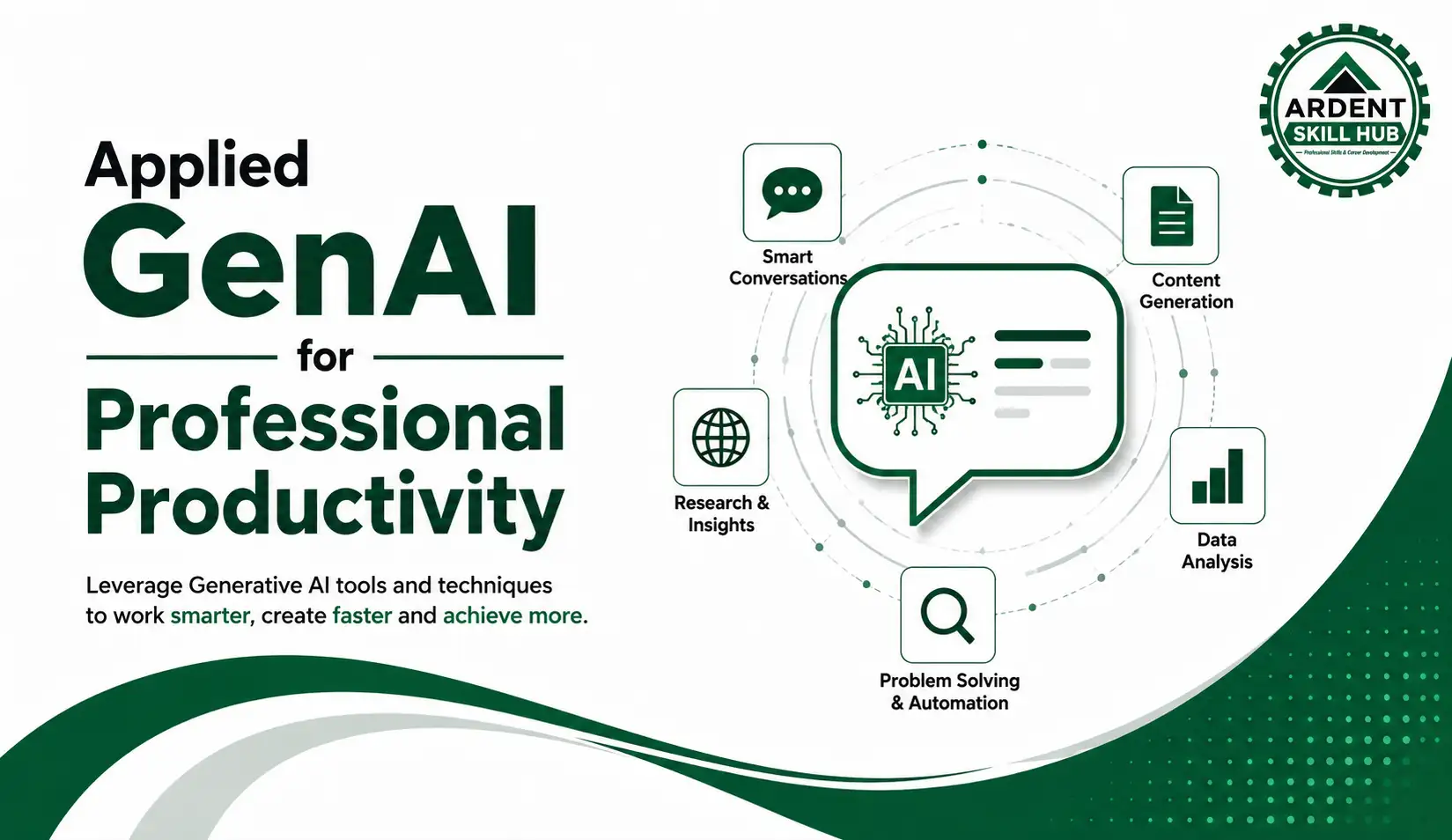
Ardent Certified-Generative AI, Agentic AI & AI Agents for Professional Productivity (GAAP)

Build practical, career-ready fluency in Generative AI, Agentic AI, and AI Agents for smarter professional productivity. Learn to use AI for research, writing, analysis, content creation, presentations, and workflow automation—developing the AI-first skills increasingly valued across today’s entry-level and professional roles. **Tools & Platforms:** ChatGPT, Claude, Microsoft Copilot, Gemini, Perplexity, Canva AI

₹70,000
₹42,000
Save ₹28,000
Have a coupon? Apply at checkout for extra discount!
APPLY NOW Start Your Journey
Ardent Certified-Generative AI, Agentic AI & AI Agents for Professional Productivity (GAAP)
6 Months Duration
Live + Recorded
Max 30 Students
Govt. Certified
100% Job Assistance Dedicated placement support
to kickstart your career
Industry Expert Trainers Learn from experienced
professionals
Lifetime Access Access recorded sessions
anytime, anywhere
Practical Learning Real-world projects &
hands-on assignments
Student Student Student Student
Trusted by 10,000+ Learners
4.8/5
Empowering learners with AI skills
to build a smarter tomorrow.

Learning Outcomes

  • 1. Independently use GenAI tools to complete research, writing, and reporting tasks faster and to a professional standard
  • 2. Build and reuse a personal library of prompt templates for recurring work
  • 3. Evaluate AI output critically for accuracy, tone, and appropriateness before use
  • 4. Explain the concepts and differences between Generative AI, Agentic AI, and AI Agents.
  • 5. Use AI to summarize and analyze large amounts of information efficiently.
  • 6. Identify opportunities to automate repetitive workplace tasks using AI Agents.
  • 7. Design basic AI-powered workflows and task automation processes.
  • 8. Evaluate AI-generated information for accuracy, relevance, bias, and reliability.
  • 9. Apply responsible and ethical practices when using AI in professional environments.
  • 10. Use AI strategically to become a more productive, efficient, and future-ready professional.

Course Objectives

  • Develop confident, independent use of leading GenAI tools for everyday professional tasks
  • Build the ability to write clear, effective prompts that produce reliable, usable output
  • Apply AI tools to create documents, reports, presentations, emails, and professional content.
  • 5. Understand the fundamentals of Generative AI, Agentic AI, and AI Agents.
  • 6. Understand how AI Agents can automate repetitive and multi-step professional tasks.
  • 7. Explore practical applications of Agentic AI in business and workplace workflows.
  • 8. Develop responsible AI practices including accuracy, privacy, security, and ethical usage.
  • 9. Learn how to integrate AI into daily workflows, decision-making, and task management.
  • 10. Build an AI-first productivity mindset for adapting to the evolving workplace.

Applications in Industry

  • 1. Drafting emails, reports, and proposals in corporate and internship settings
  • 2. Speeding up academic research, literature review, and assignment preparation
  • 3. Producing first-draft presentations and marketing/content material for teams
  • 4. Workplace Communication – Draft professional emails, messages, announcements, and client communications.
  • 5. Task Automation – Automate repetitive tasks and create AI-assisted workflows.
  • 6. AI Agents & Workflow Management – Use AI agents to perform multi-step tasks and support professional processes.
  • 7. Marketing & Business Development – Support campaign ideas, customer research, content planning, and market analysis.
  • 8. Personal Productivity – Use AI for planning, scheduling, brainstorming, learning, and task organization.
  • 9. Career & Professional Growth – Build an AI-enabled workflow and develop skills for emerging AI-driven workplaces.
  • 10. Presentation Development – Generate presentation structures, slide content, ideas, and speaker notes.

Frequently Asked Questions

Yes. The course can be structured from AI fundamentals to practical professional applications, making it suitable for beginners as well as professionals.
GAAP (Generative AI, Agentic AI & AI Agents for Professional Productivity) is a career-focused certification designed to help learners use modern AI technologies to improve productivity, automation, and professional performance.
Generative AI refers to AI systems that can create new content such as text, images, presentations, code, audio, and other forms of content based on user instructions.
Agentic AI refers to AI systems that can plan, reason, make decisions, use tools, and execute multiple steps toward a defined objective with varying levels of human supervision.
AI Agents are AI-powered systems designed to perform tasks or workflows by reasoning about objectives, using available tools, and taking actions rather than simply generating a response.
No. Basic programming knowledge is not required for learning the productivity and practical AI concepts. Programming can be introduced separately for learners interested in developing advanced AI-agent solutions.
Yes. Learners develop practical prompt engineering skills for getting clearer, more accurate, and more useful results from AI tools.
Yes. AI Agents can assist with suitable multi-step workflows, information processing, content generation, and task automation, depending on the tools and permissions available.
The certification helps learners develop AI literacy, practical AI productivity skills, automation awareness, and an AI-first approach to professional work, making them better prepared for modern AI-enabled workplaces.
AI Agents can help streamline multi-step tasks such as research, information processing, content preparation, workflow automation, and routine decision-support activities, allowing professionals to save time and focus on higher-value work.

Course Content — Modules

1

Module 1: AI in Professional Productivity — Foundations

1
Generative AI & Agents: What They Are, Fast
2
Hands-on Lab: Running Your First AI-Assisted Task
3
Hands-on Lab: Mapping AI Opportunities in Your Own Workflow
2

Module 2: Working with LLMs

1
LLMs in Plain Terms: What They Can & Can't Do
2
Hands-on Lab: Same Task, Three Models — Compare Outputs
3
Hands-on Lab: Picking the Right Model for a Real Task
3

Module 3: Prompt Engineering

1
What Makes a Prompt Work
2
Hands-on Lab: Writing & Refining a Prompt for a Real Task
3
Hands-on Lab: Building a Reusable Prompt Template
4

Module 4: Prompt Chaining & Multi-Step Tasks

1
Breaking a Task into a Prompt Chain
2
Hands-on Lab: Building a Multi-Step Prompt Chain
3
Hands-on Lab: Automating a Reporting Task with a Prompt Chain
5

Module 5: AI for Documents, Email & Content

1
AI in Everyday Writing Work: Where It Fits
2
Hands-on Lab: Producing a Client-Ready Report with AI
3
Hands-on Lab: Drafting a Full Email & Presentation Set with AI
6

Module 6: AI for Data & Spreadsheets

1
Using AI on Real Business Data — What's Safe & Useful
2
Hands-on Lab: Cleaning & Analyzing a Dataset with AI
3
Hands-on Lab: Building a Data Dashboard with AI Assistance
7

Module 7: Agentic AI Basics

1
What Makes an "Agent" Different from a Chatbot
2
Hands-on Lab: Tracing an Agent's Reasoning Loop on a Sample Task
3
Hands-on Lab: Designing an Agent Architecture for a Business Process
8

Module 8: Agent Memory, Planning & Tools

1
How Agents Remember, Plan & Act
2
Hands-on Lab: Mapping Memory, Planning & Tools for a Use Case
3
Hands-on Lab: Giving an Agent Its First Tool to Call
9

Module 9: No-Code Agent Platforms

1
No-Code Agent Builders at a Glance
2
Hands-on Lab: Building Your First No-Code AI Agent
3
Hands-on Lab: Connecting the Agent to a Real App or Trigger
10

Module 10: Retrieval-Augmented Generation (RAG)

1
Why Agents Need RAG to Stay Grounded
2
Hands-on Lab: Building a Simple RAG Pipeline Over Company Docs
3
Hands-on Lab: Testing RAG Accuracy Against Real Questions
11

Module 11: Vector Databases & Knowledge Bases

1
How Vector Search Works — Just Enough to Use It
2
Hands-on Lab: Setting Up a Vector Store
3
Hands-on Lab: Connecting a Knowledge Base to an Agent
12

Module 12: Agent Frameworks

1
LangChain & Similar Frameworks: What They Give You
2
Hands-on Lab: Building a Simple Agent Chain in a Framework
3
Hands-on Lab: Swapping Tools Within an Existing Agent Chain
13

Module 13: Building Custom Agents

1
Defining Role, Instructions & Guardrails for a Custom Agent
2
Hands-on Lab: Building a Task-Specific Agent End-to-End
3
Hands-on Lab: Adding a Custom Tool/API to Your Agent
14

Module 14: Multi-Agent Systems

1
When & Why to Use Multiple Agents
2
Hands-on Lab: Building a Coordinator + Worker Agent Setup
3
Hands-on Lab: Debugging a Multi-Agent Handoff Failure
15

Module 15: Workflow Automation with AI Agents

1
Automation Platforms for AI Workflows, Fast Overview
2
Hands-on Lab: Automating a Repetitive Workflow with an Agent
3
Hands-on Lab: Chaining an Agent Across Multiple Apps
16

Module 16: Integrating Agents with Business Tools

1
Connecting Agents to CRM, Email & Calendar Safely
2
Hands-on Lab: Connecting an Agent to a CRM/Email Tool
3
Hands-on Lab: Setting Permissions & Access Scopes for the Agent
17

Module 17: Function Calling & Custom Tools

1
Function Calling Explained in One Pass
2
Hands-on Lab: Giving an Agent a Custom API Tool
3
Hands-on Lab: Handling API Errors & Edge Cases Gracefully
18

Module 18: Testing & Debugging Agents

1
Where Agents Fail & How to Catch It Early
2
Hands-on Lab: Testing an Agent Against Edge Cases
3
Hands-on Lab: Fixing an Underperforming Agent
19

Module 19: Responsible AI Use

1
Bias, Transparency & Safe AI Use — Key Points
2
Hands-on Lab: Drafting a Team AI Usage Policy
3
Hands-on Lab: Reviewing an Existing Workflow for Responsible Use Gaps
20

Module 20: Data Privacy & Security for Agents

1
What to Watch for with Data & Third-Party Models
2
Hands-on Lab: Running a Privacy & Security Review of an Agent Workflow
3
Hands-on Lab: Fixing an Identified Data Exposure Risk
21

Module 21: Measuring ROI

1
KPIs That Actually Show AI Impact
2
Hands-on Lab: Building an ROI Dashboard for an Agent Deployment
3
Hands-on Lab: Presenting Results to a Mock Leadership Audience
22

Module 22: Scaling AI Across a Team

1
Getting a Team to Actually Adopt AI Tools
2
Hands-on Lab: Building a Rollout Plan for Scaling Agents
3
Hands-on Lab: Running a Mock Team Training Session
23

Module 23: What's Next in Agentic AI

1
Where Agent Capabilities Are Headed
2
Hands-on Lab: Building a 12-Month Personal/Team AI Roadmap
3
Hands-on Lab: Stress-Testing the Roadmap Against a New Tool
24

Module 24: Capstone Project

1
Capstone Brief: Solving a Real Productivity Problem with an Agent
2
Hands-on Lab: Building the Complete Solution, Prompt to Deployed Agent
3
Final Presentation & GAAP Certification Review

Course Delivery Format

Duration6 months (100 hours total)
ModeOnline Live Classes + Recorded Lectures
ScheduleWeekend & Weekday Evening Batches
Batch SizeMaximum 30 students

Prerequisites

  • Laptop/Desktop with stable internet connection
  • Basic English proficiency
  • Willingness to dedicate 4–5 hours weekly
  • No prior technical knowledge required

Investment & Scholarships

Course Fee ₹70,000  ₹42,000
EMI OptionsAvailable
ScholarshipsMerit-based & Need-based
Early Bird15% Discount

Certification

  • Course Completion Certificate
  • Industry-recognized certifications
  • LinkedIn badge
  • Project completion certificates

Placement Support

  • Resume building & LinkedIn optimization
  • Mock interviews & soft skills training
  • Access to job portal with 200+ partners
  • Networking sessions with industry professionals
  • Lifetime placement assistance

Learning Support

  • 24/7 access to recorded lectures
  • Doubt clearing sessions twice weekly
  • Dedicated mentor support
  • Peer learning community
  • Monthly industry expert guest lectures